
Common Guides
3D Prop
Demo scene, materials, prefabs and URP upgrade for 3D prop packs.
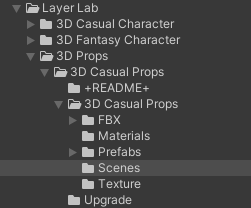
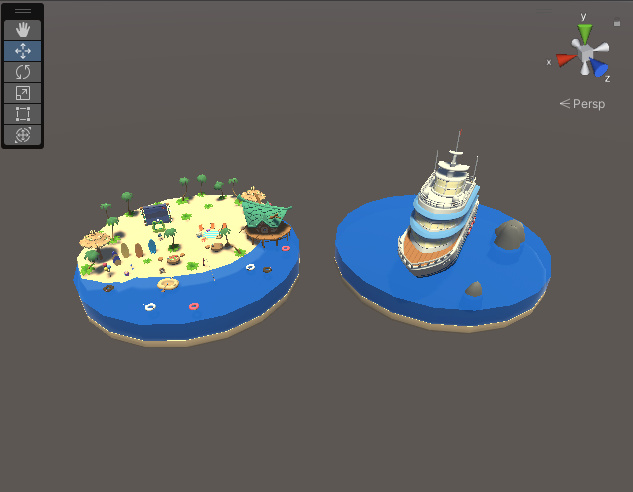
1. Demo
- The prefabs can be viewed through the demo scene.
2. Material
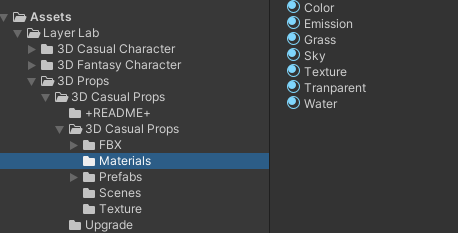
- Material
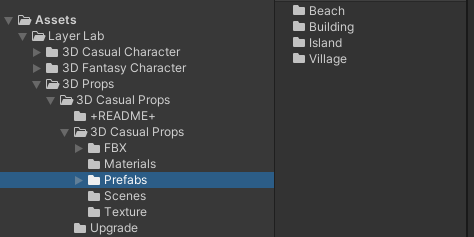
3. Prefabs
- All prefabs are in the Prefab folder or the Prop folder.
4. URP
- If there is a URP folder, it can be used.
How to upgrade to LWRP / Universal Pipeline
- Make sure your project is properly set up to use LWRP or Universal Pipeline.
- Locate the '3D Props Casual Character > Upgrade > URP_10+' folder, open the bundled integration package and import it into your project.
- This will overwrite the standard shaders, custom shaders and materials available in LWRP.
- You can also revert to standard materials by opening and importing the integrated package ‘3D Props Casual Character > Upgrade > Built_In’.
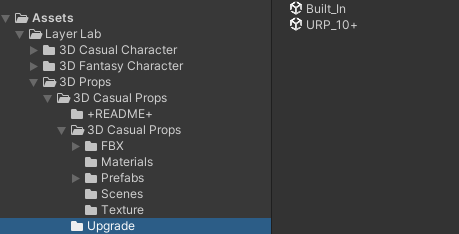
How to upgrade to LWRP / Universal Pipeline
- Make sure your project is properly set up to use LWRP or Universal Pipeline.
- Locate the '3D Props Casual Character > Upgrade > URP_10+' folder, open the bundled integration package and import it into your project.
- This will overwrite the standard shaders, custom shaders and materials available in LWRP.
- You can also revert to standard materials by opening and importing the integrated package ‘3D Props Casual Character > Upgrade > Built_In’.
LayerLab Support
Thank you for choosing our asset pack.
If you encounter any issues or errors with the asset package itself while using it in Unity, please contact our support team. We will help resolve asset-specific problems as quickly as possible.
Please note that we are unable to provide personalized technical support or step-by-step guidance for individual projects. We sincerely appreciate your understanding.
For broader Unity questions, please refer to these resources:
Thank you again for your support.